Account and integrations
Plans, trial, and sending access
Choose your plan and check that access is enabled.
Before you begin
Sign in before subscribing. Check current prices and terms on Plans; this guide does not fix prices.
What to do
- Open Plans on the ZapBot website.
- Choose Monthly or Yearly (2 months free) to view your preferred billing cycle.
- Check the chosen plan’s price, features, and first charge.
- Check the extra trial days option, if available; it is paid and optional.
- Select Start 3-day trial when online payment is available.
- Review the payment form’s terms before confirming the subscription.
- Wait for verification on the return page after completing payment.
- Select Go to dashboard when verification finishes.
Choosing a plan
Example data
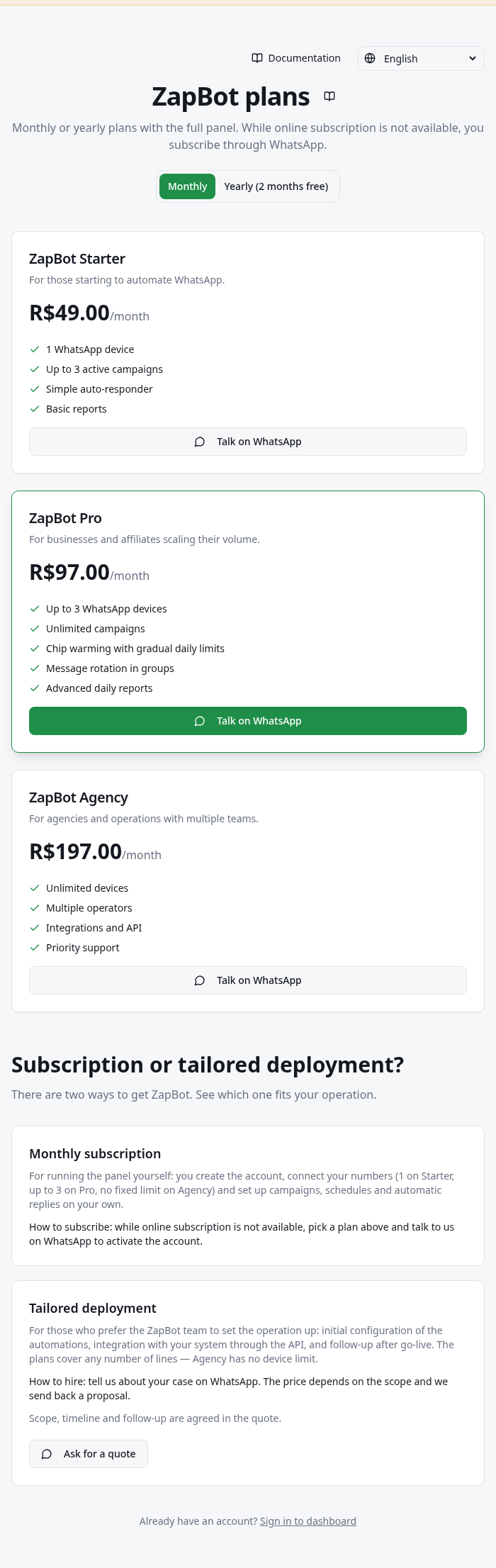
Worked example
Fictional example: someone chooses Monthly, checks the price on Plans, and leaves the paid trial extension unchecked. After checkout, they wait for verification before using the dashboard.
How to check it worked
The return page confirms access. An active trial or subscription permits sending; a payment-received notice does not confirm any WhatsApp message.
What to know
- The trial starts in the subscription flow. Creating an account or connecting WhatsApp does not itself activate sending access.
- If online subscriptions are unavailable, use Talk on WhatsApp on Plans to request a subscription.
- To cancel, change billing, or dispute a renewal, contact support through Plans. No subscription-portal control is documented in this dashboard.
Common problems
- What you see
- Verification failed after payment.
- What to do
- While signed in to the same account, select Try again on the return page, if available.
- What to expect
- Verification runs again without starting another purchase.
- What you see
- Payment session not found.
- What to do
- Use support on Plans if you were charged; provide the error and when it happened.
- What to expect
- Support can check the subscription without requiring another payment.
- What you see
- Online payment is unavailable.
- What to do
- Select Talk on WhatsApp on your chosen plan.
- What to expect
- The contact opens to arrange activation.
Get more help
If access remains blocked after verification, contact support on Plans before subscribing again.